1. Open Terminal.app

2. Copy and paste the following:
log show --predicate 'eventMessage contains "Previous shutdown cause"' --last 24h
And you should see the following:

3. Match the shutdown cause to its code:
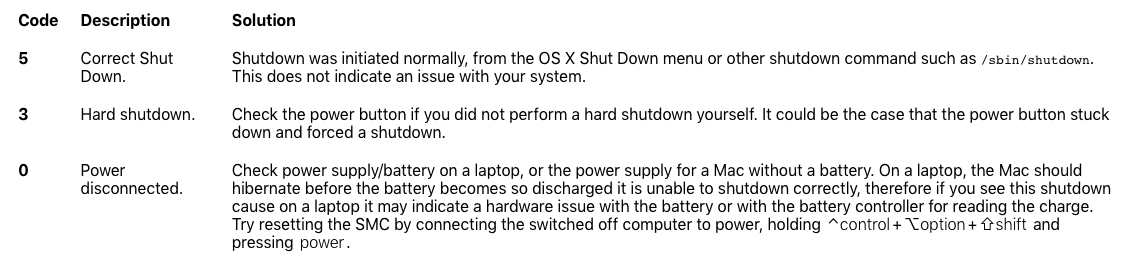
The full list of shutdown causes can be found here.
I found it really hard to find the reason why my Mac was shutting down randomly, so hopefully this helped you! While most solutions given online recommend that you reset the SMC, don’t do that before backing up your data.
If you choose to use the built in Time Machine, check this out: